Goodies · Slurp
Read it later.
Hear it now.
Slurp is a free iPhone and Mac app that reads anything aloud and lights up every word as it is spoken. Articles, PDFs, Word docs, newsletters, feeds, podcasts and video, in one library that syncs through your own iCloud.

Check the download
The file’s SHA-256, to compare with shasum -a 256 in Terminal: 6967c8f1c424bb8c6f19ed95fdb0ce3926565095017708cf2ddb8ea3b5722b28
Free · No account · No tracking · Privacy

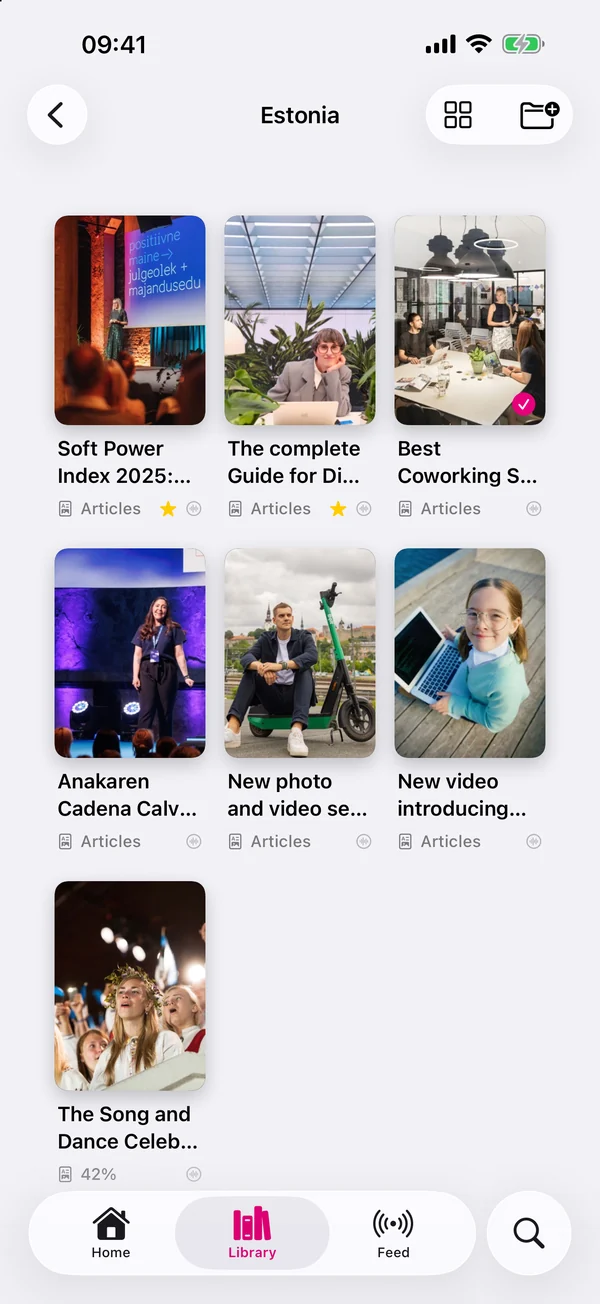
Listen & follow along
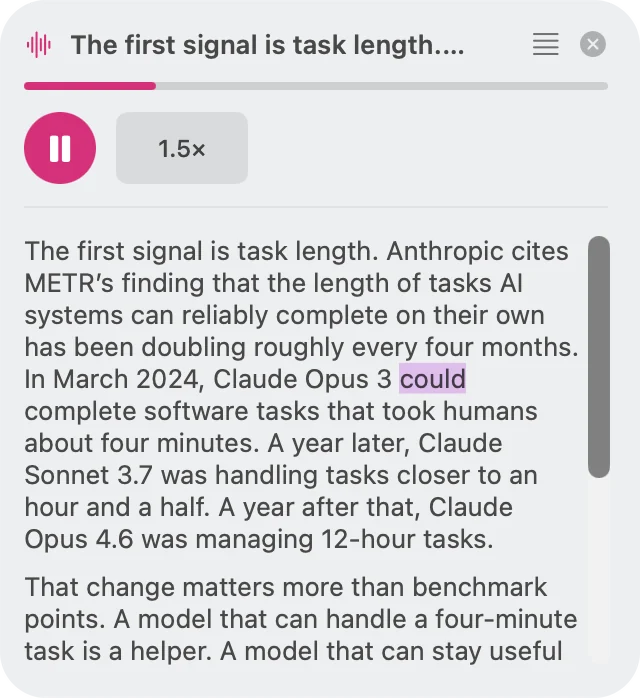
Every word lights up the moment it’s spoken. Your eyes never lose the voice.
Read later, listen now
One shelf for
everything you save.
Articles, PDFs, newsletters, feeds, podcasts and video all land in the same library: organised, searchable and ready to be read out loud whenever you are.
01 — Capture
Save it from
anywhere.
Slurp sits in the share sheet on iPhone and in the Share menu on Mac, so whatever you are looking at is two taps from your library.
- Share text, a link, an email or a file from any app
- Web links become a clean article, pictures and all
- PDF, Word, OpenDocument, RTF, TXT, Markdown and HTML files, formatting kept (old .doc files on Mac)
- A link straight to a PDF or Word file is downloaded and read as that document
- X posts and Articles arrive complete when you add your own X API token
- A save that fails stays as a card with Retry, and duplicates are flagged before you add them twice
02 — Library
A reading list
that stays tidy.
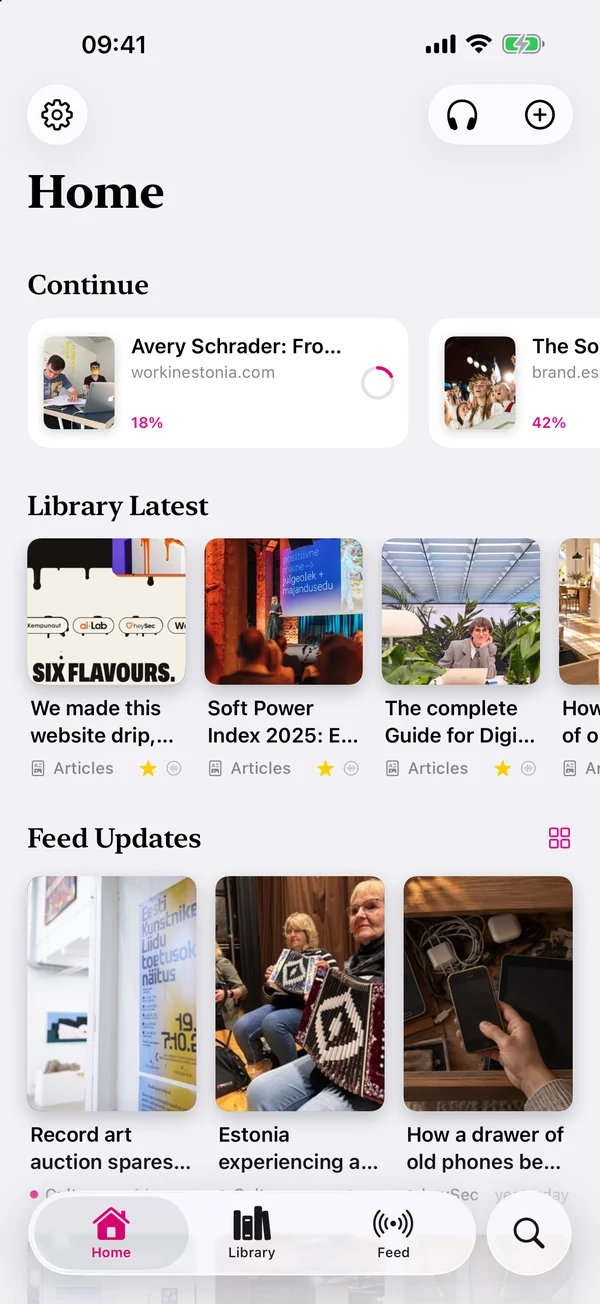
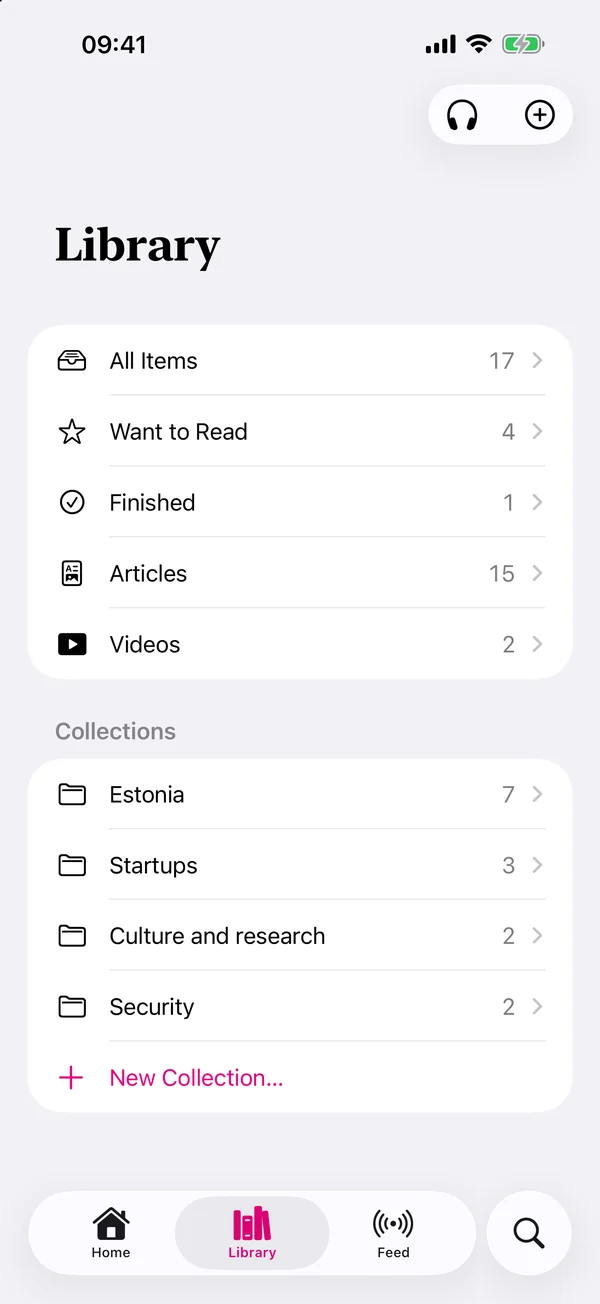
Collections, statuses and filters: the structure of a proper read-it-later app, kept in sync across your devices without an account.
- Collections and sub-collections; drag items into the order you want
- Want to Read and Finished lists, plus filters for articles, PDFs, posts, notes, podcasts and video
- Grid or list: set a default, override it for any single collection
- Search runs over the full saved text, not just titles
- Items, collections, reading position and order sync through your own iCloud
03 — Reader
A reader worth
staying in.
Clean typography, the real pictures, and a page that moves with the voice instead of leaving you to find your place again.
- Reader view keeps the article’s images and charts, cached so they are there offline
- Switch between the clean reader and the page as it was designed
- PDFs render page for page, with headers and footers left unspoken
- Auto-scroll follows the highlighted word and keeps it mid-screen
- Resume exactly where you stopped, on whichever device you pick up next
04 — Voices
Five voices.
Four live on your device.
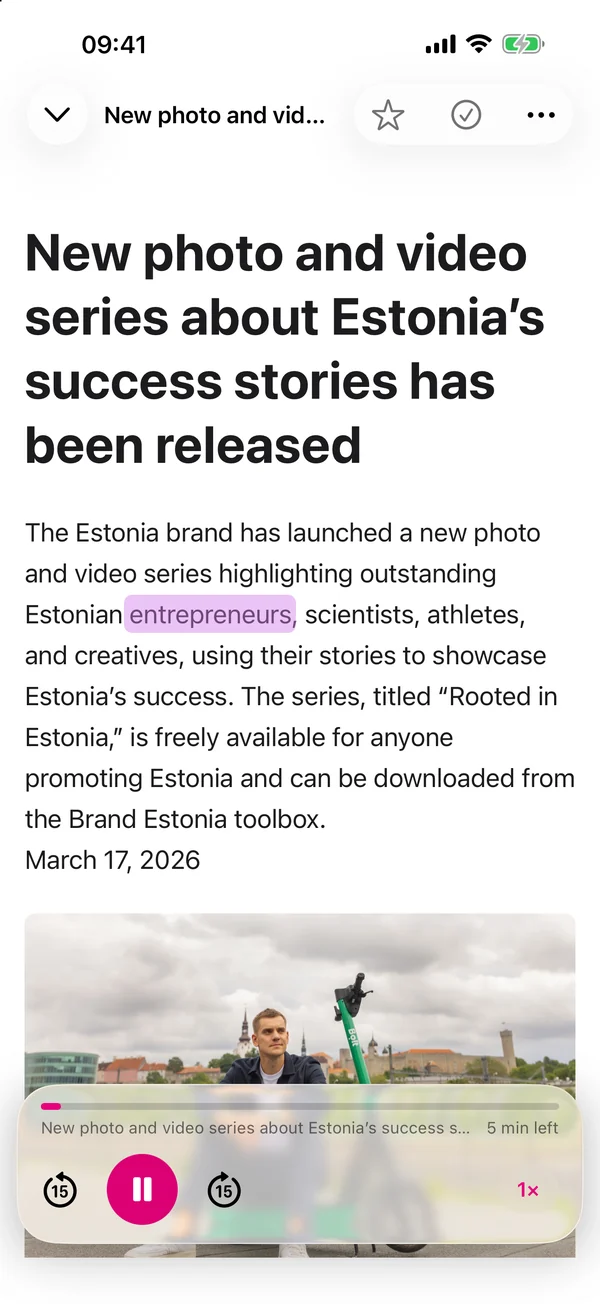
Neural voices run entirely on your Mac or iPhone. No key, no network, no text leaving the device.
- Kokoro: 28 open-weight voices, American and British, the best sounding of them
- KittenTTS: eight light CPU voices for long libraries and small batteries
- Inflect: under 10 million parameters, downloads in seconds
- Apple: every voice and language installed on your device, Siri and Premium voices included
- ElevenLabs: optional, billed to your own account with your own key
- Preview any voice, switch provider for a single item, and read at 0.75× to 2×
05 — Offline audio
Generate once.
Listen everywhere.
Narration is rendered in the background and stored, so playback starts instantly, and the finished audio follows you to your other devices.
- New saves are narrated in the background, newest first
- Choose which devices do the work: let the Mac carry it and leave your phone alone
- Finished audio syncs through iCloud, so a second device never renders it again
- Keep audio for everything, for the newest items, or for the last few days
- Drop audio when you mark something finished; anything you are halfway through is always kept
06 — Feeds
Your subscriptions,
spoken.
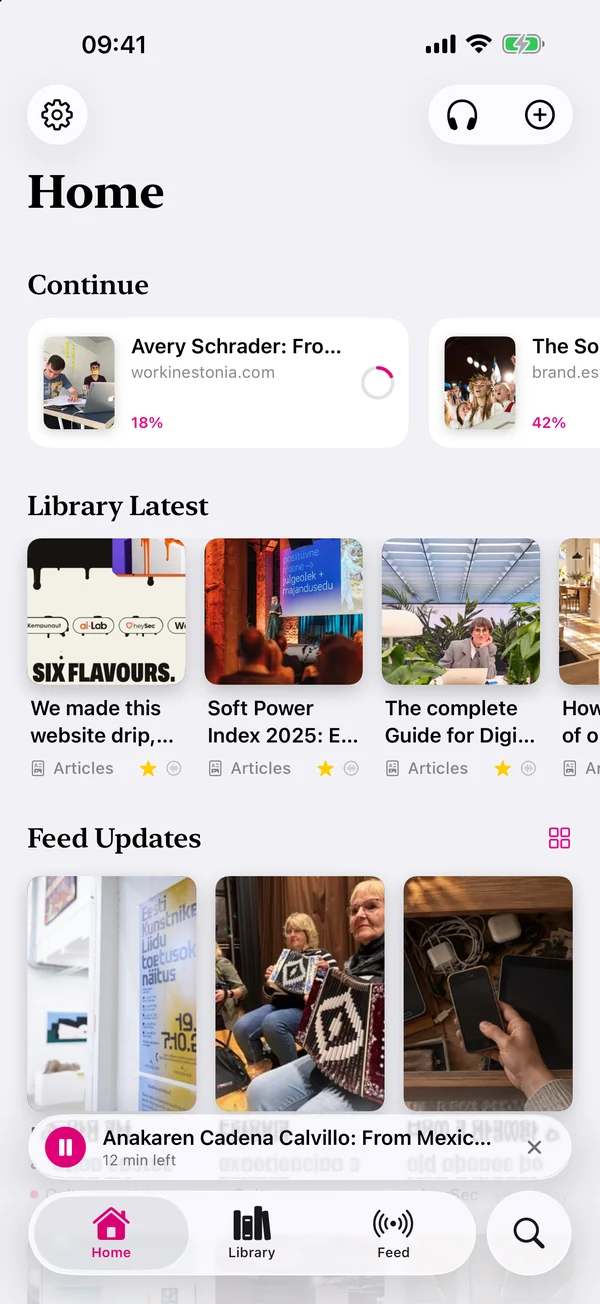
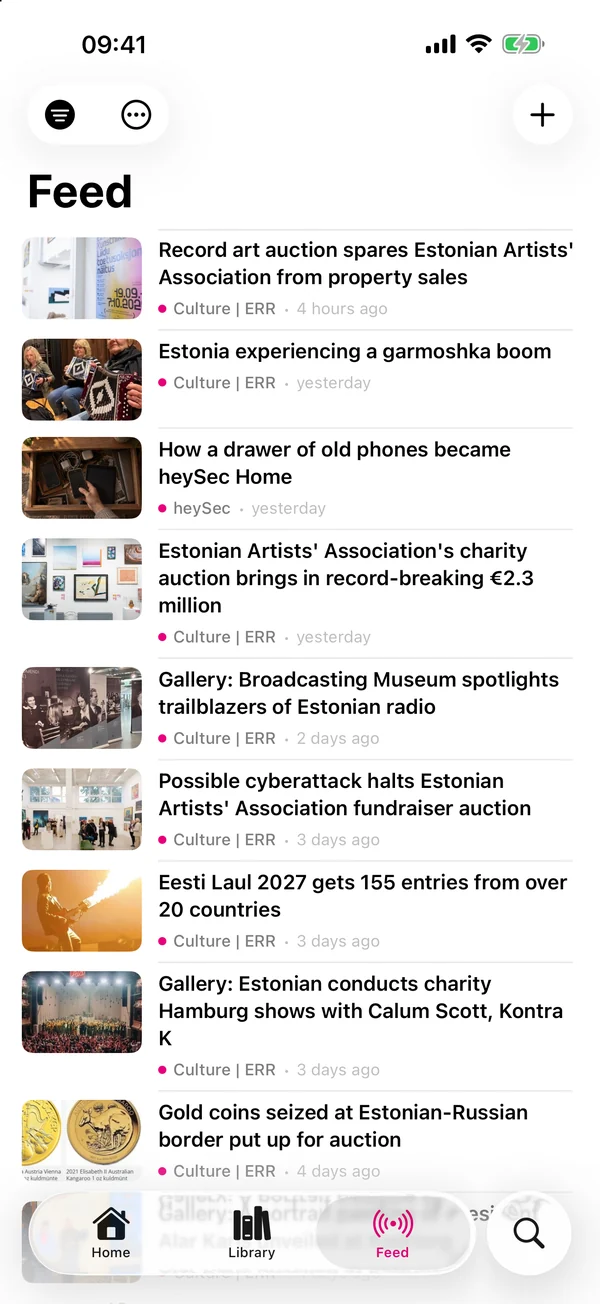
Follow any RSS or Atom feed and let new entries arrive on their own, then play one on the spot or file it away for later.
- Subscribe to any RSS or Atom feed; subscriptions follow you across devices
- An unread-first list, with new entries merged in the background
- Play an entry straight away, or save it into a collection
- Pick which devices poll in the background
07 — Watch & listen
Podcasts and video,
same library.
Not everything worth saving is text. Media links live beside your articles and play through the same controls.
- YouTube, Vimeo, Apple Podcasts, Spotify episodes, or a direct audio or video file
- One player for everything: the same mini player, Lock Screen and remote controls as narration
- Podcasts download when you add them, so they play with no signal
- Video floats into Picture in Picture when you leave the player

Slurp for Mac
The whole Mac,
out loud.
A menu-bar app with a floating player, a full library window, browser extensions that highlight right on the page, and a shortcut that speaks whatever you have selected, in any app.
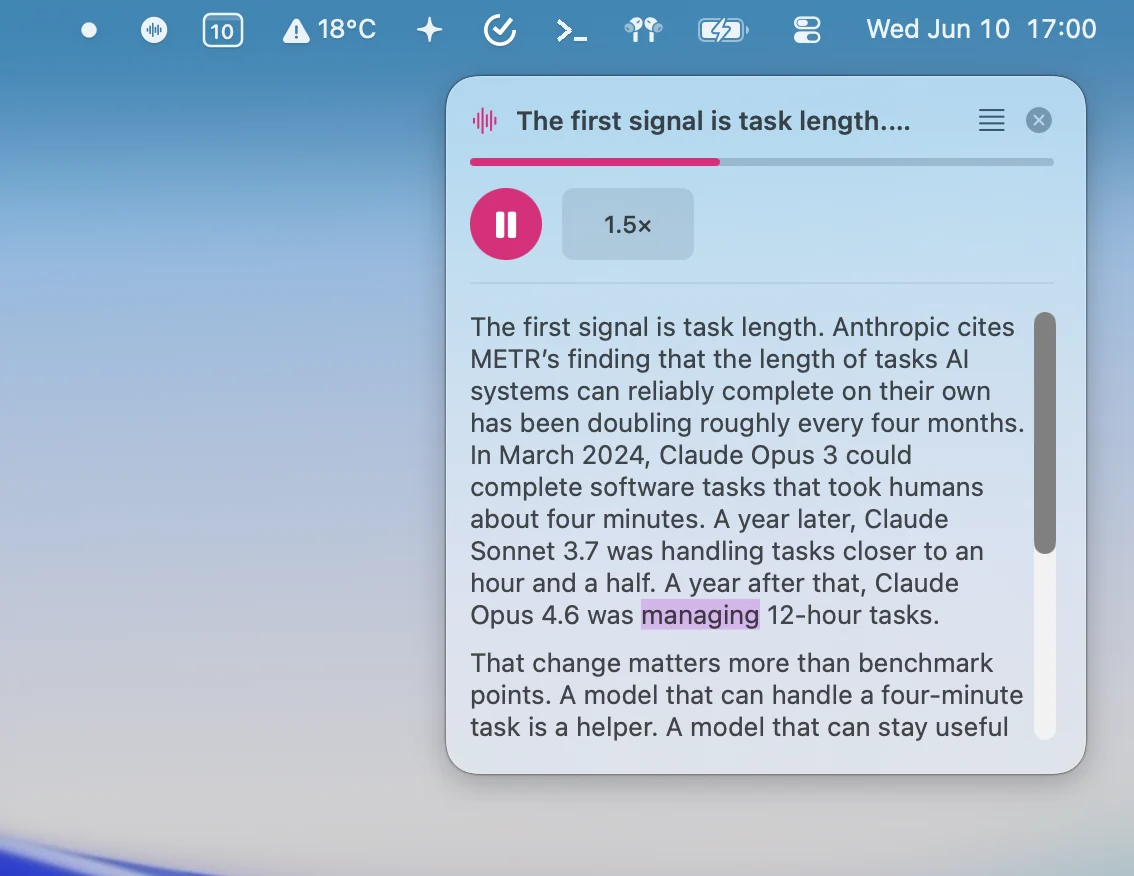
Menu bar and floating player
- Lives in the menu bar; keep a Dock icon or hide it entirely
- An always-on-top mini player that stays put across every Space
- A prompter pane scrolls and highlights text that has no window of its own
- Opens at login and updates itself, with a signature check on every build
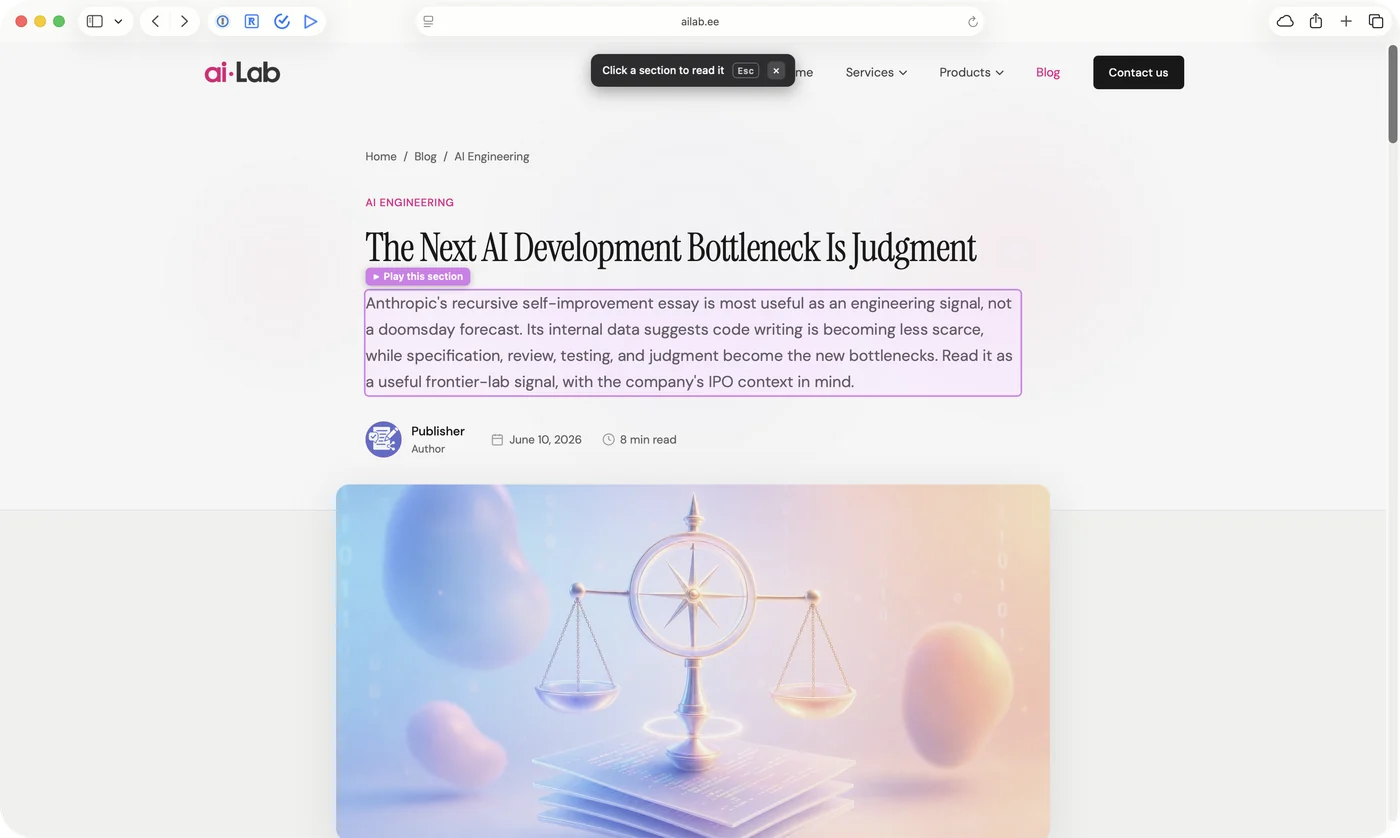
Safari, Chrome, Edge, Brave and Arc
- Read the article: the page’s main content is detected and narrated
- Pick a section: hover to outline any block, click to read just that
- A pill follows the spoken word right on the live page
- Esc hands the page straight back
One shortcut, anywhere
- Select text in Mail, Slack, a PDF or your editor and press your shortcut
- The player opens with the full transcript, highlighting as it reads
- Choose your own key combination in Settings
- Clipboard, web links, files and the Share menu work system-wide too
Check the download
The file’s SHA-256, to compare with shasum -a 256 in Terminal: 6967c8f1c424bb8c6f19ed95fdb0ce3926565095017708cf2ddb8ea3b5722b28
Free · Apple silicon Mac
Why you will keep it
Private by construction.
Not by promise.
Slurp has no account and no server of ours that holds what you read. Your library lives on your devices and in your own iCloud, and the voices that read it run there too.
01
Free, with no account
No subscription, no trial, no sign-up screen. Download it and start listening.
02
Your library, your iCloud
Saved items sync between your devices through your own private iCloud. We run no server that holds what you read.
03
Voices that stay home
Four of the five narration providers run on your device. The text being spoken never leaves it.
04
Works with no signal
Saved text, cached article images and pre-generated narration are all on the device. Planes, tunnels and trails included.
05
No tracking, no telemetry
There is no analytics in the app. A bug report is sent only when you send one: your description, an email if you add one, the logs and a screenshot, to Slop Agency.
06
Bring your own keys
An ElevenLabs key or an X API token is optional, stays on your device and goes only to ElevenLabs or X, for what you asked for.
The details, down to what a bug report carries, are in the privacy policy.
iPhone
iOS 18 or later
On the App Store, free
Mac
macOS 26.5 or later
Apple silicon, direct download
Reads
Web · PDF · Word · RTF · Markdown · TXT
Plus podcasts, video and RSS
Voices
5 providers, 4 on-device
Voice models download when you choose them
Turn the reading list
into a listening list.
Slurp is free on iPhone and Mac. Save the first thing you have been meaning to read and let it read itself to you on the way home.
Check the download
The file’s SHA-256, to compare with shasum -a 256 in Terminal: 6967c8f1c424bb8c6f19ed95fdb0ce3926565095017708cf2ddb8ea3b5722b28
iOS 18+ on iPhone · macOS 26.5+ on Apple silicon