Slop Cloud · CVI
Brand book.
Actually read.
Each brand’s corporate visual identity as a brand book people browse like any CVI kit: logos with their clear space, colours with every value, typefaces, pictures marked do and don’t. Build it on the same page, publish it, and every AI agent follows it.
Accounts are by invitation only

01 — What's inside
Every logo.
Every value.
The chapters of a real CVI
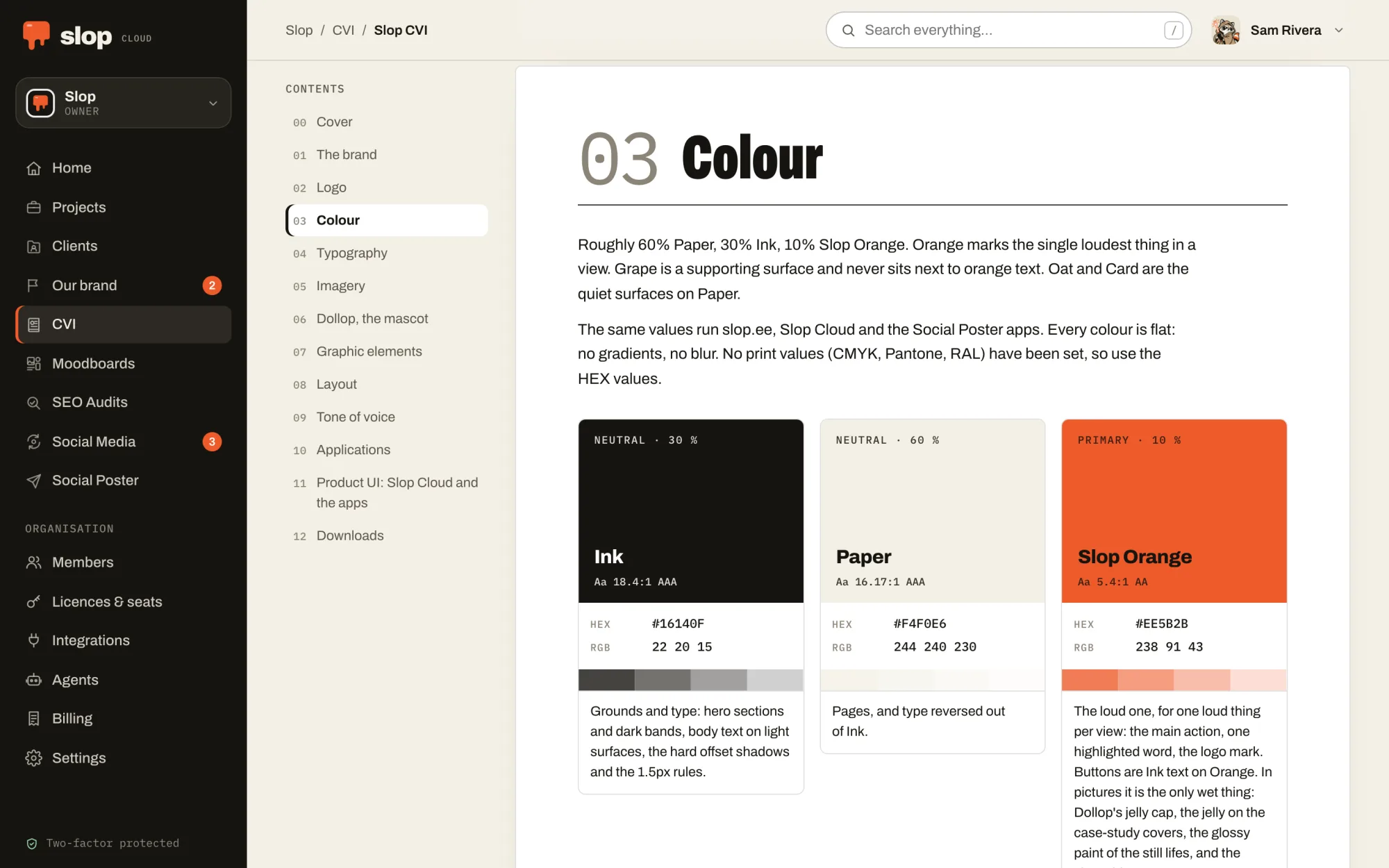
The brand, logo, colour, typography, imagery, icons, graphic elements, layout, tone of voice, applications and downloads, plus chapters of your own.
Logos, measured
Every version on the ground it was made for, with its clear space drawn and its smallest size shown at that size. All of them in one ZIP.
Colours with every value
HEX, RGB, CMYK, Pantone and RAL, tints, the palette’s proportions and how readable text is on each colour. Click a value to copy it.
Type in its own fonts
Typefaces as specimens set in the typeface itself, and the text styles from headlines to captions. The book sets its own headings in the brand’s fonts.
Built in place, published once
Edit the book on the page you read it on. A draft is followed by nobody; publishing puts it in use and archives the one before. A new version starts as a copy.
For people who build
Print it or save it as a PDF, a chapter to a page. Developers take the colours, typefaces and text styles as design tokens in CSS or JSON.
02 — With your agent
The source of truth.
For robots too.
Give your agent CVI and it reads the brand’s CVI in use, looks at the logos and pictures, and downloads the files it needs to put the real logo in a design or set text in the real font.
It can build one too, from the files you give it: chapters, logos, colours, typefaces and rules. Publishing is a permission of its own. Whenever it works on design or pictures, it hears about the brand’s CVI before any other direction.
Connect one from the Agents page of your workspace. How agents fit in.
Things to ask it
- Start a CVI for the client from these logo files and the PDF guidelines.
- Which orange is ours, and can white text sit on it?
- Put our logo on this slide, in the version made for dark backgrounds.
03 — In the machine
Where the brand
gets its look.
A machine that makes pictures, slides and pages for a brand has to know exactly what the brand looks like. CVI is that rulebook, with the files that go with it. Client Hub’s pages and brief point to it first, agents hear about it before anything else, and the moodboards add the taste on top. Nobody has to guess the orange again.
01 — Know
Client Hub
Who each brand is, who it is for and how it talks, compiled into one AI brief that people and agents write from.
02 — Look · You are here
CVI
How the brand looks, kept as a brand book: logos, colours, type and pictures that people browse and every agent follows.
03 — See
Moodboards
What the work should look like: pictures, type, colour and references, with notes a model can read and pictures it can see.
04 — Plan
Social Media
What goes out when: queues that post at their weekly times, a calendar, approvals, and how every post did afterwards.
05 — Serve
Social Poster
Posts and threads drafted, polished and published to every connected account at once, after a person says yes.
06 — Measure
SEO Audits
Whether the right people can find the work, measured against the searches they make, and what to fix first.