Slop Cloud · Social Poster
Write once.
Post everywhere.
Compose a post or a whole thread with photos and videos, then publish it to every account your workspace has connected, in one go. On the web, in the iOS and Android apps, or through your AI agent.
Accounts are by invitation only

01 — What's inside
One composer.
Every channel.
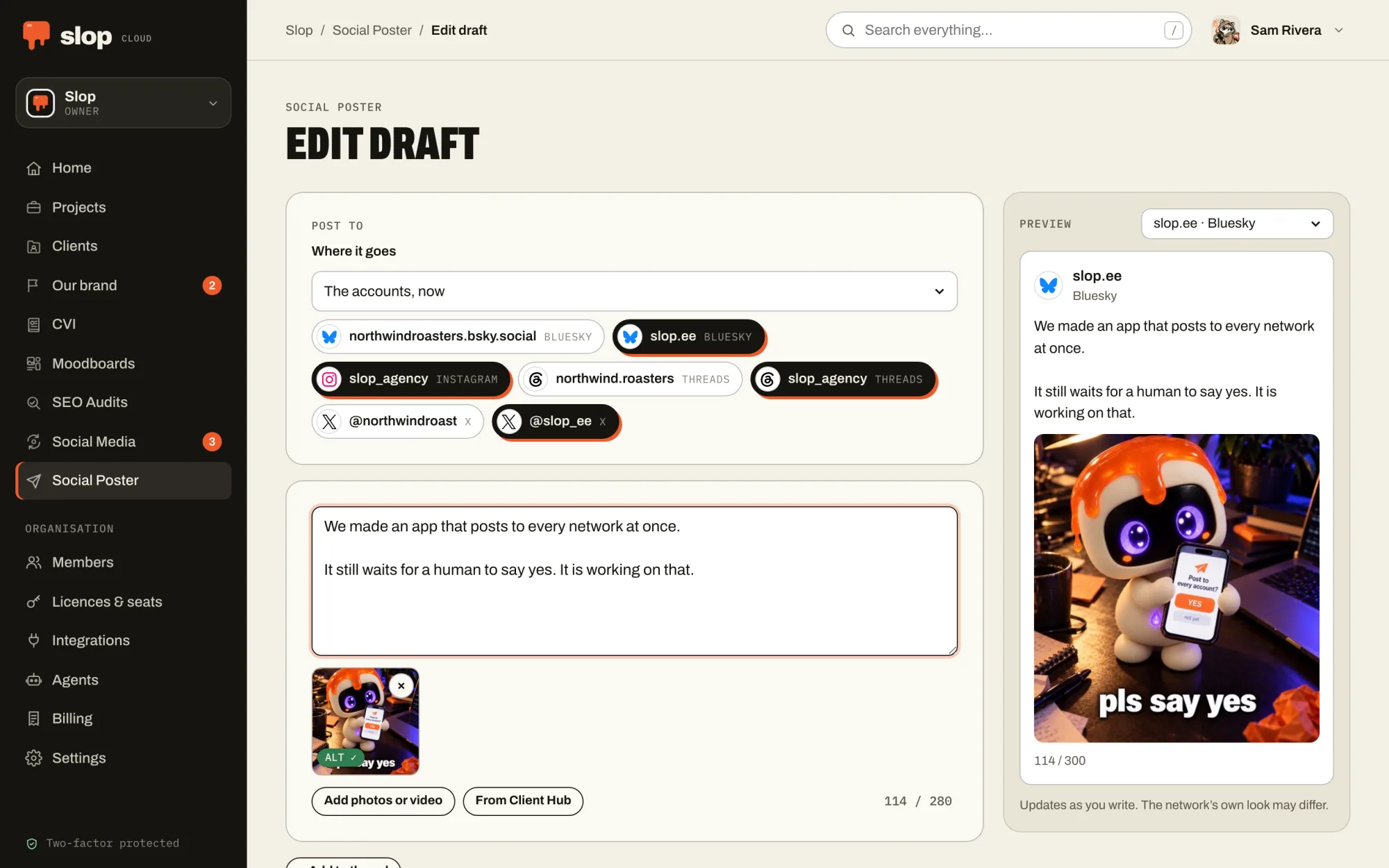
Every account, its own rules
X, Threads, Instagram, TikTok, Bluesky, Mastodon, LinkedIn, Facebook Pages and webhooks. Each account gets its own counter and live preview, and its limits are checked before anything goes out.
Threads stay threads
A thread goes out as replies where a network has threads, and as one post where it doesn’t. Too long for one post? Split it into a thread, numbered if you like.
Photos, video, GIFs
Attach pictures and videos in the order you want them, or find a GIF on GIPHY without leaving the composer. AI describes every picture, so people who use screen readers get the post too.
AI that edits with you
Proofread, improve clarity, adjust the tone or rewrite, then review every change before you keep it. Write for a Client Hub client and it follows their brief. Links, @mentions and #hashtags are never touched.
Straight to the queue
With Social Media, the composer and the phone apps also send a post to a queue: at its next free time, at a time you pick, or to a reviewer for approval.
Drafts and an archive
Drafts save themselves and are shared with the workspace, and a newer save is never overwritten. The archive shows what went where. One post to rule them all.
02 — In your pocket
Post from anywhere.
Yes, even there.
The iOS and Android apps have the same composer, drafts and archive as the web, in every workspace you are in.
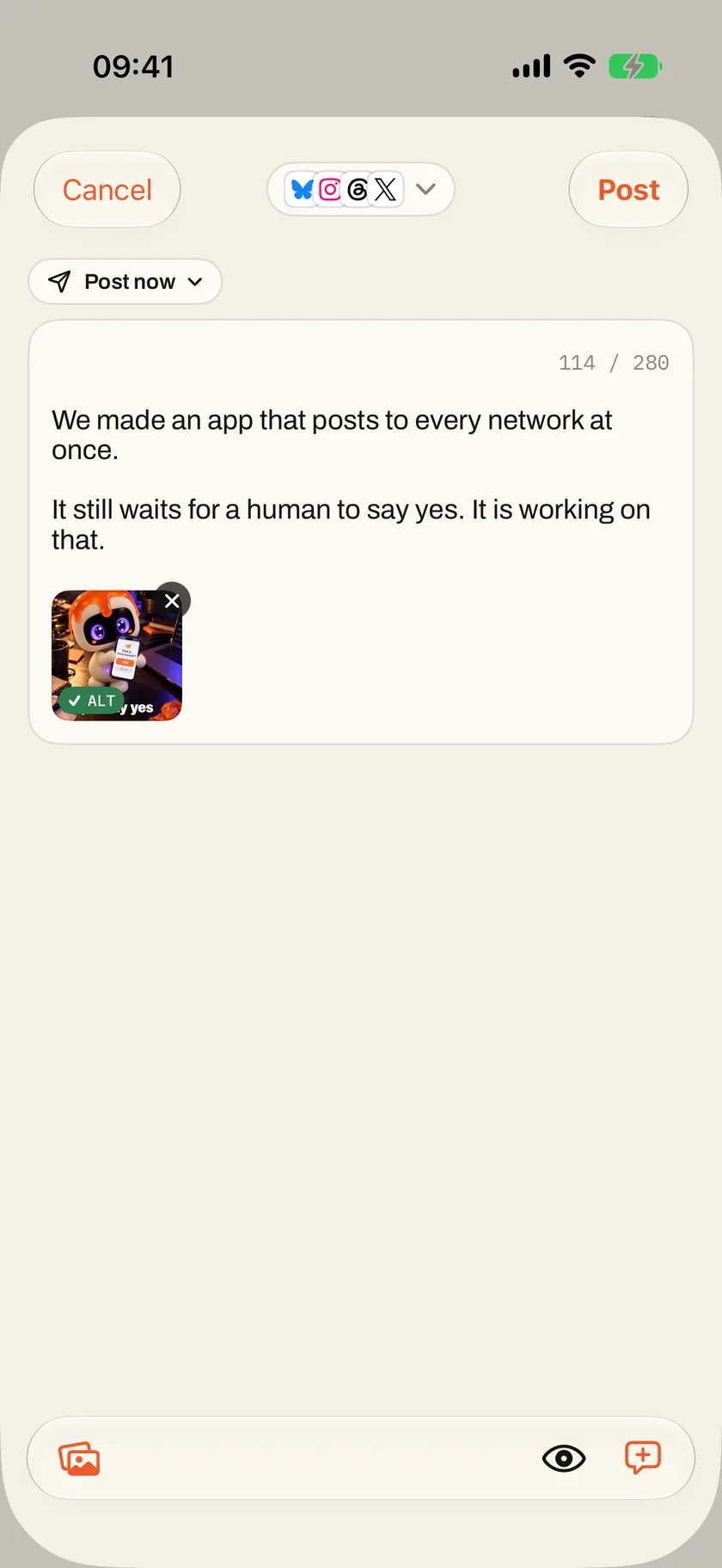
The composer, pocket-sized
Every account’s counter and limits, threads, pictures with their descriptions and the AI edits, as on the web. An iPhone keeps posting after you lock it, with the progress on the Lock Screen.
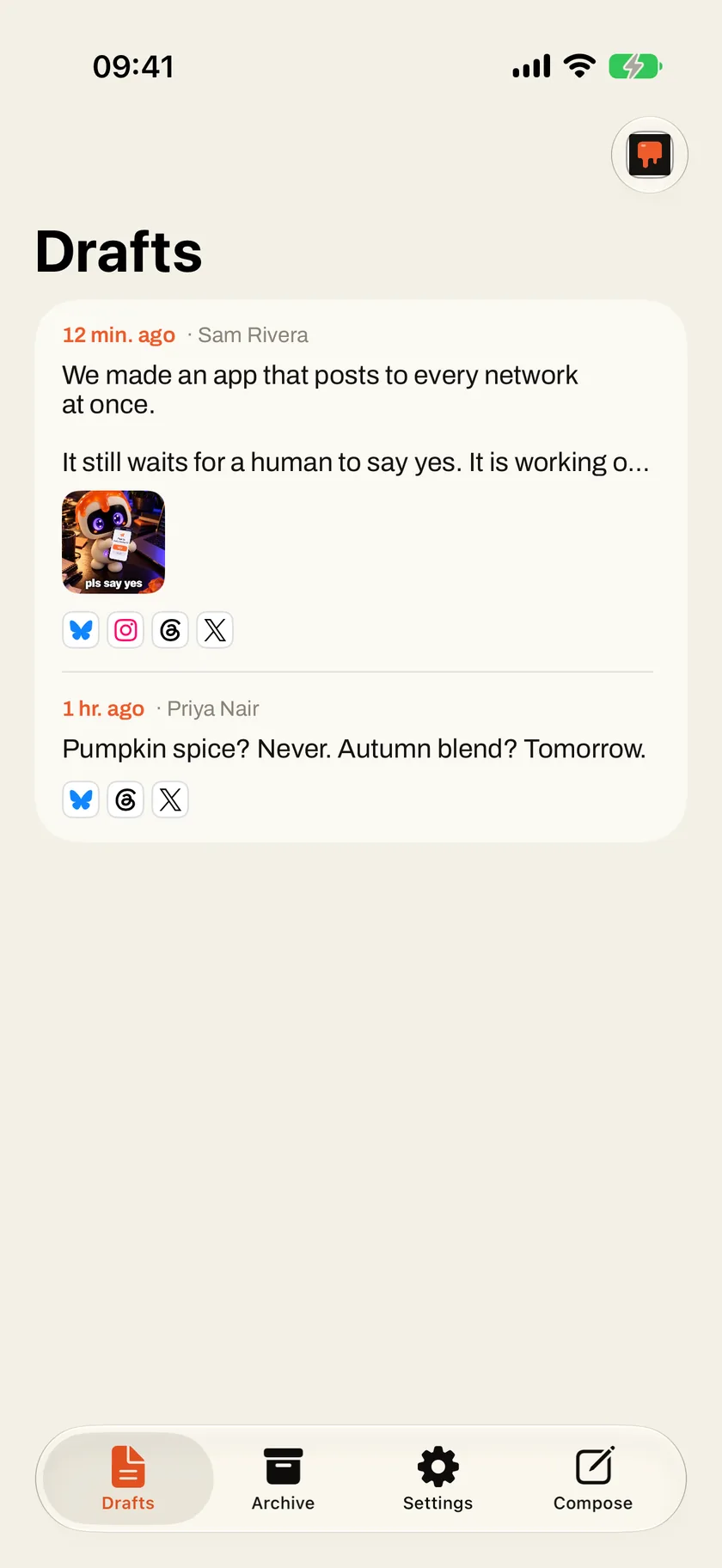
Drafts that follow you
Start a post on the bus and finish it at your desk. Drafts belong to the workspace, so whatever a colleague or your agent saved is waiting here too.
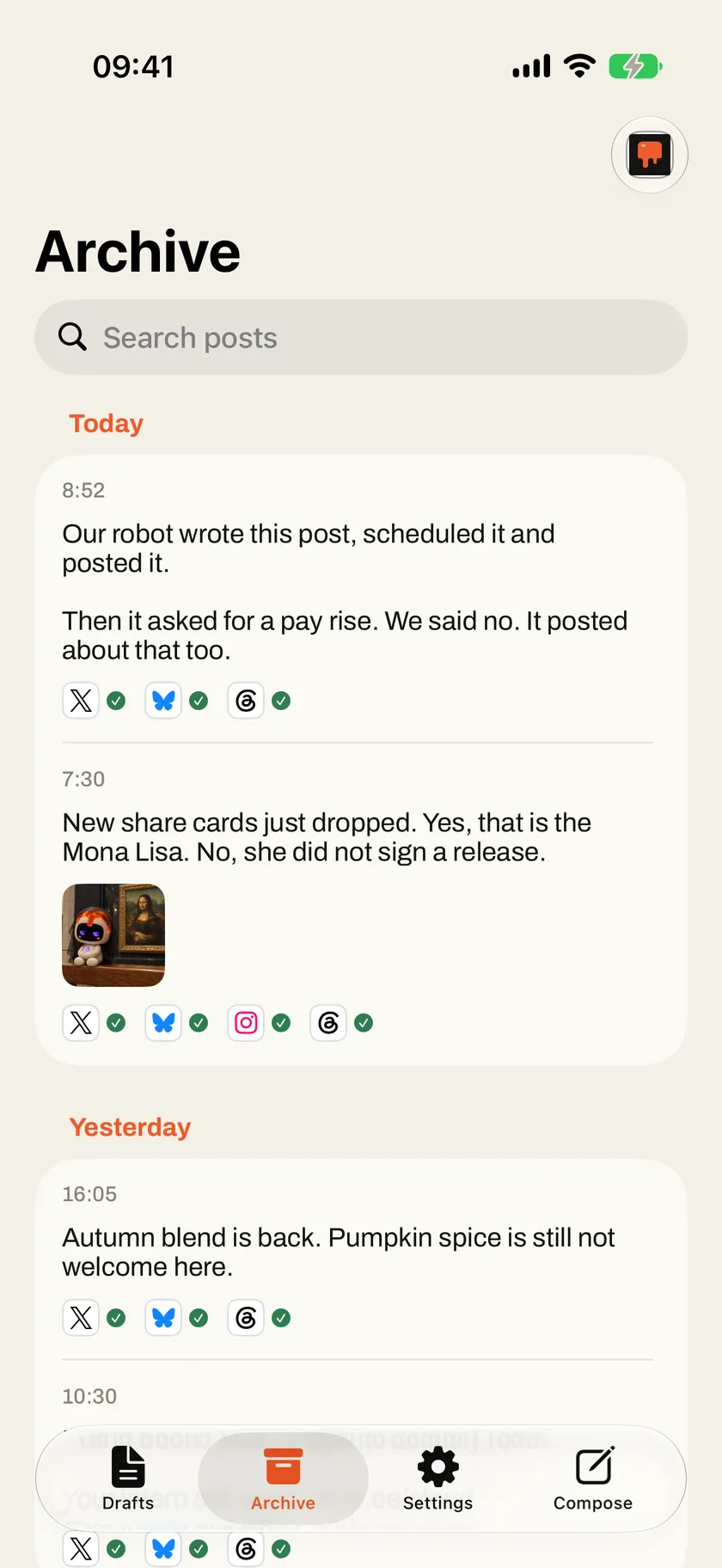
What went where
Every post by day, with a tick or a cross for each account. If one account failed, try it again from the phone without posting twice everywhere else.
03 — With your agent
Your agent drafts.
You say yes.
Give your agent Social Poster and it sees the accounts you can post to and their limits, writes and saves drafts, rewrites with the workspace’s writing modes and describes pictures.
It works with text and links, and reuses pictures already in a draft. Publishing is a separate permission that acts in public, in your name: you give it or keep it, and the agent is told to ask you first.
Connect one from the Agents page of your workspace. How agents fit in.
Things to ask it
- Turn this release note into a thread and save it as a draft.
- Make the draft shorter for X and keep the link.
- What did we post last week, and where?
04 — In the machine
Where the work
gets served.
Social Poster is the pass, where finished work leaves the kitchen. The Client Hub brief says how the brand talks, the CVI and the moodboard what it looks like, an agent puts the draft together, and a person tastes it before one press sends it to every channel, or into a Social Media queue for its time. That yes stays human. The routine around it is what we are handing to the machines.
01 — Know
Client Hub
Who each brand is, who it is for and how it talks, compiled into one AI brief that people and agents write from.
02 — Look
CVI
How the brand looks, kept as a brand book: logos, colours, type and pictures that people browse and every agent follows.
03 — See
Moodboards
What the work should look like: pictures, type, colour and references, with notes a model can read and pictures it can see.
04 — Plan
Social Media
What goes out when: queues that post at their weekly times, a calendar, approvals, and how every post did afterwards.
05 — Serve · You are here
Social Poster
Posts and threads drafted, polished and published to every connected account at once, after a person says yes.
06 — Measure
SEO Audits
Whether the right people can find the work, measured against the searches they make, and what to fix first.