Slop Cloud · Skills
Teach once.
Every agent knows.
Write down how your company does a job, once. Every AI agent your team connects to Slop Cloud, Claude, ChatGPT, Codex or another, picks it up by itself and does the job your way. Change it, and they all know the new way.
Accounts are by invitation only

01 — In plain words
A skill is
a recipe.
A skill is a short how-to written for an AI agent: the steps, the checklist, the house rules and an example of work you liked. The page you would hand a new hire on their first day, written so a machine can follow it too. No code, just words.
Today, everyone teaches their own AI from scratch. One person pastes the same instructions into every chat, another never heard of them, and what the agency learned stays in one head or one chat window. Skills puts it in one place the whole company shares, and every agent reads from there.
01
Write it down
Whoever knows the job best writes it, in plain words. Slop Cloud checks it as they type and says what an agent would trip over.
02
Share it
With the whole organisation, or only the people who need it: the social team, the designers, the account managers.
03
Every agent follows it
Their agents get it on their own, and use it whenever a task matches. Nobody copies or pastes it anywhere. Improve it, and every agent gets the better version.
02 — For agencies
Your house way.
In every agent.
An agency runs on routines nobody wrote down. These are the ones worth writing once. The day a skill is shared, every agent in the building does it the house way, including the junior’s and the freelancer’s.
Account team
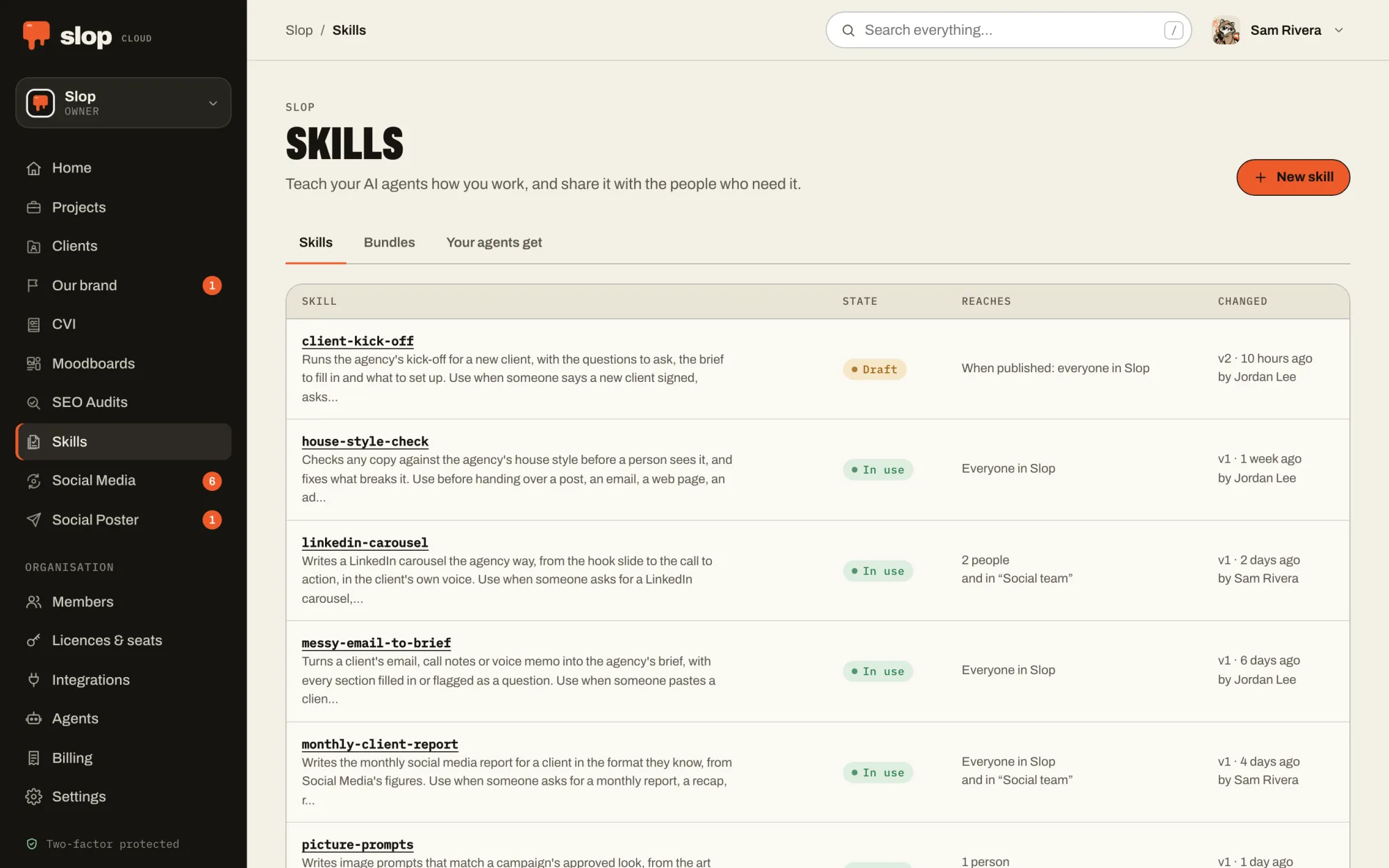
Client kick-off
The questions to ask a new client, the brief to fill in from their answers, and the folders and accounts to set up. Every agent runs the same kick-off, whoever starts it.
Copywriters
House style check
How product names are spelled, the words the agency never uses, the length of a headline. Before any copy reaches a person, the agent has checked it against the list.
Social team
LinkedIn carousel
Your recipe for a carousel that works: the hook on slide one, a point a slide, the call to action, the hashtags, and two examples the client approved.
Art direction
Picture prompts
The prompts, settings and references that made the look the art director signed off, so the next picture for the campaign matches the last one.
Strategy
Messy email to brief
A client’s rambling email turned into your agency’s brief: every section filled in, and whatever the client did not say flagged as a question to ask.
Reporting
Monthly client report
The figures from the same places, in the order the client is used to, with the commentary in your words, not the agent’s. Ready for a person to check.
Skills say how the work is done. What a brand sounds like and looks like stays in Client Hub and CVI, and agents read both: the skill for the method, the brief for the client.
03 — What's inside
Write it.
Check it. Share it.
An editor that checks
Write, preview, or both side by side, with templates and examples in files beside it. As you type, the check marks what is vague, missing or risky, line by line.
A second opinion
AI review reads the skill the way an agent will, and tells you where it would guess, misfire or do the job worse, with the words to change.
Safe by default
A draft reaches nobody, and nothing goes out with errors in it. The check stops keys and tokens, and flags passwords and instructions to keep things from people, before a skill reaches anyone’s agent.
Shared your way
With everyone in the organisation or with chosen people, one skill at a time or as a bundle, like “Social team” or “New business”. Your own skills stay yours.
Every version kept
Each change is a version with who made it. Bring back an older one in a click, and nobody saves over a colleague’s newer change.
Who looks after them
The organisation’s owners and admins, and the people they let manage skills on the Members page. Everyone else simply gets what is shared with them.
04 — With your agent
You don’t ask for it.
It just knows.
Connect your agent to Slop Cloud once. From then on it knows every skill shared with you, and when a task matches one, it reads it and follows it, without being told.
Claude Code, Codex, Cursor and Gemini CLI get the skills in their Slop Cloud plugin, and each change when the plugin updates. The Claude and ChatGPT apps, and any other agent that speaks MCP, read them through their connection. Using your skills is a permission you give or keep.
Connect one from the Agents page of your workspace. How agents fit in.
Things to ask it
- Write next week’s LinkedIn carousel for Northwind Roasters.
- Turn this client email into a brief.
- Which of our skills are about social media?
05 — In the machine
Our know-how.
Every robot.
A machine that runs the routine marketing has to know how the routines go. Skills is where we teach it: the way we cut a video, brief a picture or run a kick-off, written once and followed by every agent at every station. People keep the taste and the final yes.
01 — Know
Client Hub
Who each brand is, who it is for and how it talks, compiled into one AI brief that people and agents write from.
02 — Look
CVI
How the brand looks, kept as a brand book: logos, colours, type and pictures that people browse and every agent follows.
03 — See
Moodboards
What the work should look like: pictures, type, colour and references, with notes a model can read and pictures it can see.
04 — Teach · You are here
Skills
How the work is done, written once as skills that every AI agent in the company picks up and follows.
05 — Plan
Social Media
What goes out when: queues that post at their weekly times, a calendar, approvals, and how every post did afterwards.
06 — Serve
Social Poster
Posts and threads drafted, polished and published to every connected account at once, after a person says yes.
07 — Measure
SEO Audits
Whether the right people can find the work, measured against the searches they make, and what to fix first.