Slop Cloud · Social Media
Queued. Approved.
Posted.
Plan what every account posts: queues that post at their own weekly times, a calendar of what goes out when, approvals for the people who suggest, and analytics that say what worked. On the web, in the Social Poster apps, or through your AI agent.
Accounts are by invitation only

01 — What's inside
Every post.
On time.
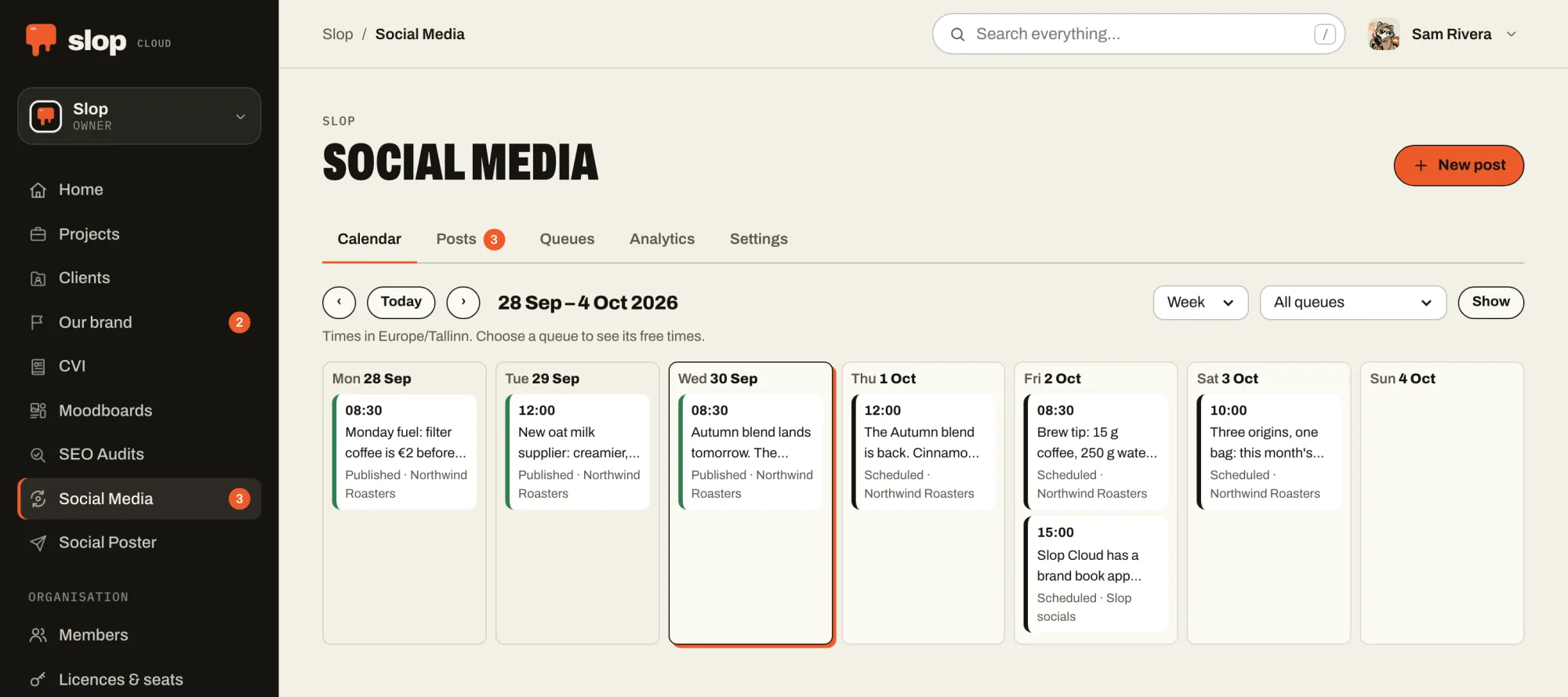
Queues with weekly times
A queue posts to its accounts at its own times, in its own time zone. A new post takes the next free time, or a time you pick.
Approvals
People who may only suggest send posts for approval. The queue’s reviewers approve them or decline them with a note, and the author hears back by email.
A calendar
Week or month, every queue or one, with its free times to write for. Missed, held and paused posts say so.
AI that plans
AI writes posts, plans a period with times, suggests weekly times and moves the schedule when you ask in words. It only proposes; you keep what you choose.
Analytics that explain
How every post did on each account, compared with what is usual for that account: what changed, what needs attention and what went well. AI reviews it on request.
Posts go out on their own
Due posts go out on time, with the right of whoever scheduled them. A post that missed an account says which one and why, and retries in one press.
02 — With your agent
Your agent plans.
You approve.
Give your agent Social Media and it sees the queues with their times and accounts, writes posts and sends them for approval, and reads how every post did.
Scheduling and publishing, and approving posts, are separate permissions that act in public, in your name: you give them or keep them, and the agent is told to ask you first. Who may use a queue stays with the people who manage the app.
Connect one from the Agents page of your workspace. How agents fit in.
Things to ask it
- Plan next week’s posts for the launch queue and send them for approval.
- What did best last month, and why?
- Move Friday’s post to Monday at 09:00.
03 — In the machine
Where the week
gets decided.
Social Media is the order board: what goes out, where and when. The Client Hub brief says how the brand talks, CVI and the moodboards how it looks, the agent drafts, a person approves, and the queue sends it at its time. Then analytics reads back how it did, so next week starts from what worked.
01 — Know
Client Hub
Who each brand is, who it is for and how it talks, compiled into one AI brief that people and agents write from.
02 — Look
CVI
How the brand looks, kept as a brand book: logos, colours, type and pictures that people browse and every agent follows.
03 — See
Moodboards
What the work should look like: pictures, type, colour and references, with notes a model can read and pictures it can see.
04 — Plan · You are here
Social Media
What goes out when: queues that post at their weekly times, a calendar, approvals, and how every post did afterwards.
05 — Serve
Social Poster
Posts and threads drafted, polished and published to every connected account at once, after a person says yes.
06 — Measure
SEO Audits
Whether the right people can find the work, measured against the searches they make, and what to fix first.