Slop Cloud · Client Hub
Know the brand.
Brief the robots.
Everything your team knows about each client and project, in one place: who they are, who they are for, how they talk and what was decided. Client Hub compiles it into one AI brief that people and AI agents write from.
Accounts are by invitation only

01 — What's inside
Every brand.
One brief.
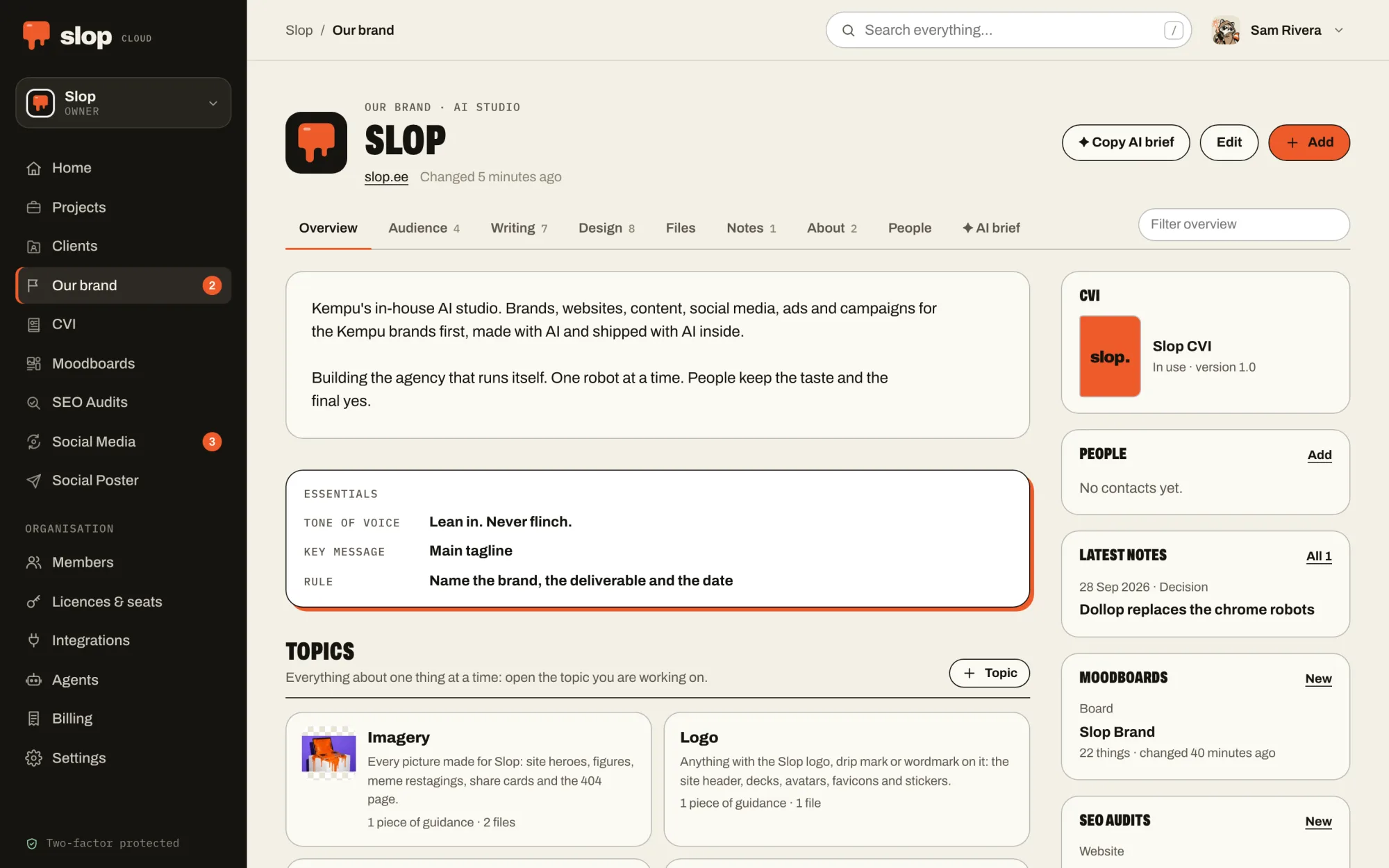
Organised by the job
Overview, audience, writing, design, files and notes. Each piece of guidance lives where you look for it, and nowhere twice. Projects and Clients sit in the rail.
Topics
Everything about one thing in one place: the logo, the mascot, blog posts, a newsletter. Each topic has its own guidance, examples, prompts, files and boards, and a line saying when it applies.
Who the work is for
Target audiences as ideal clients: what they want, what troubles them, what makes them hesitate and the words they search with. Plus search keywords and competitors.
How the brand talks
Tone of voice, key messages word for word, wording to use and to avoid, and rules marked Must or Should. What matters most is marked essential and comes first everywhere.
How the brand looks
Colours, typefaces and visual guidelines with their files, kept privately with the client. When the brand has a CVI in use, the page and the brief point to it first.
Our brand
The workspace’s own organisation is kept like a client, with its voice, its logo and its rules. The agency briefs itself the way it briefs everyone else.
Files that wait for a yes
A picture an agent made arrives as proposed and waits for a person to approve or reject it. Nothing proposed is used as the real thing.
Projects inherit
A project gets all of its client’s guidance and adds its own, which wins where the two differ. Nobody copies the brand book into every job.
The AI brief
All of it in one Markdown brief, or the brief for one topic: essentials first, decisions and feedback included, never shortened, and never the contacts. Every file carries its number, so an agent can look at it.
02 — With your agent
No more
blank prompts.
Give your agent Client Hub and it finds the client, reads the whole brief and writes in the brand’s voice, to its rules and its wording.
Tell it about a meeting, a piece of feedback or a decision and it can record it as a note, so the next brief knows too. Reading, adding guidance and notes, adding files, changing or deleting them, and managing clients are separate permissions you give or keep. The AI brief never carries the contacts.
Connect one from the Agents page of your workspace. How agents fit in.
Things to ask it
- Read the brief for Project Alpha and draft three LinkedIn posts for the launch.
- Record that the client approved the new tagline today.
- Read the mascot topic and make a new picture for Friday’s post, as a proposed file.
03 — In the machine
The station
everything reads.
A machine that writes for a brand has to know the brand first. Client Hub is that memory. CVI keeps how the brand looks, SEO Audits measures the sites against the audiences and searches kept here, posts are written for a client and kept as examples, and every agent starts by reading the brief. Build it once, tune it per brand, reuse it everywhere.
01 — Know · You are here
Client Hub
Who each brand is, who it is for and how it talks, compiled into one AI brief that people and agents write from.
02 — Look
CVI
How the brand looks, kept as a brand book: logos, colours, type and pictures that people browse and every agent follows.
03 — See
Moodboards
What the work should look like: pictures, type, colour and references, with notes a model can read and pictures it can see.
04 — Plan
Social Media
What goes out when: queues that post at their weekly times, a calendar, approvals, and how every post did afterwards.
05 — Serve
Social Poster
Posts and threads drafted, polished and published to every connected account at once, after a person says yes.
06 — Measure
SEO Audits
Whether the right people can find the work, measured against the searches they make, and what to fix first.